Summarize
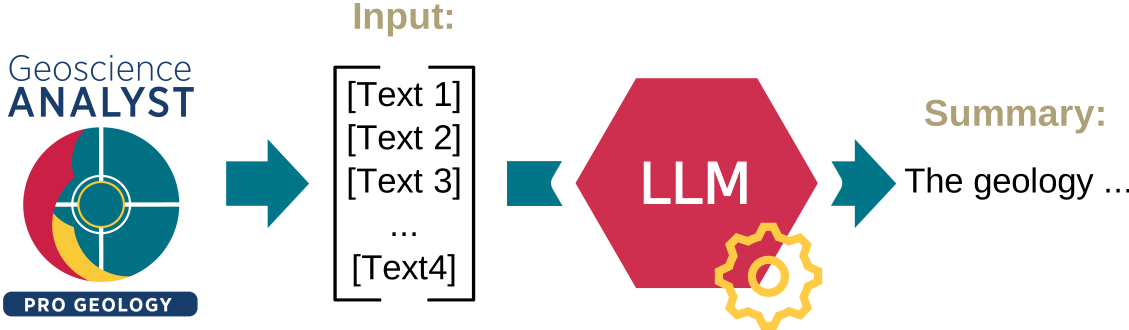
The application, as depicted in the Figure below, efficiently summarizes text linked to a Data within Geoscience ANALYST. It operates by aggregating all associated text into a comprehensive document. This unified text is then processed to create a concise summary.
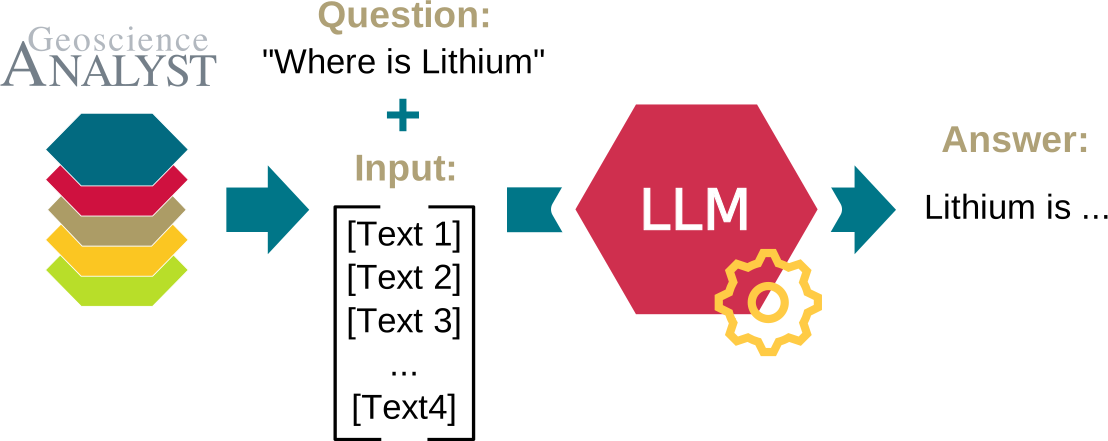
An option also allows users to pass a question to the language model. Then, as presented on the Figure below, the model performs a mechanism similar to the one used for summarization, but instead of generating a summary, it provides an answer to the question based on the text data.
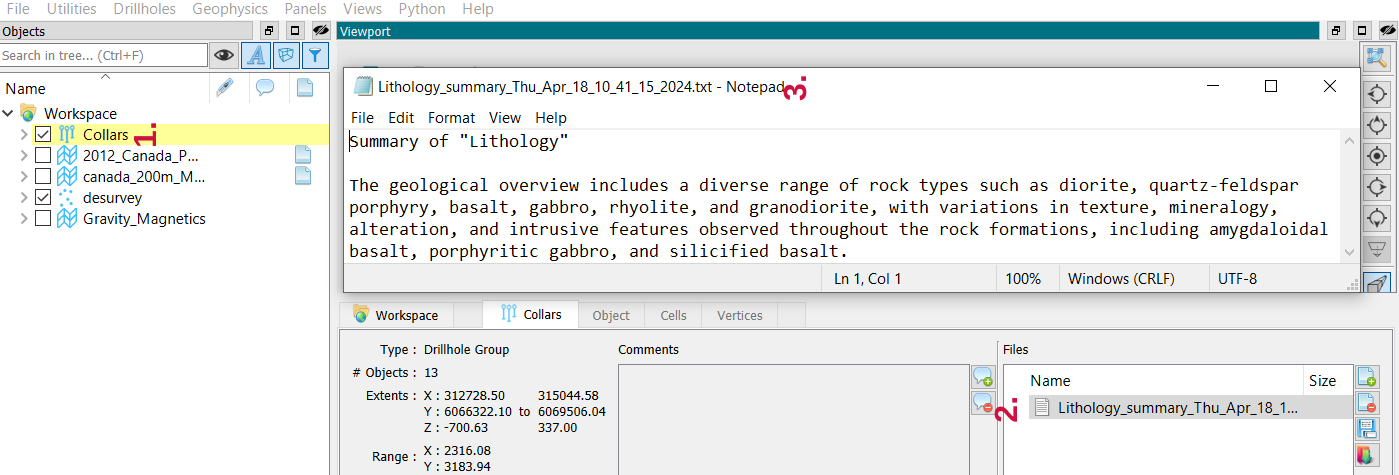
The resulting summary or answer is conveniently provided as a text file in Geoscience ANALYST, directly linked to the corresponding data object.
Interface
You can run the application using the interface depicted in Figure below.
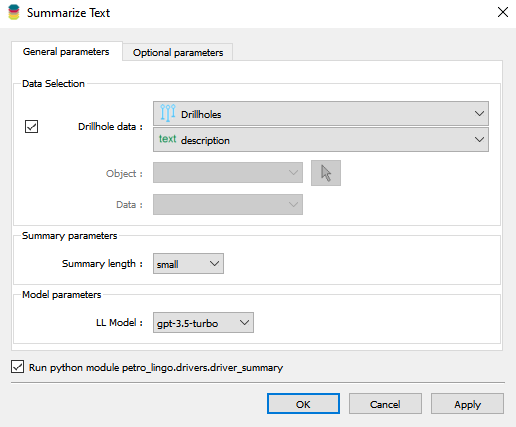
The interface contains the following parameters:
Drillhole data: The drillhole group and the associated text data to summarize.
Object: The object containing the text data to summarize.
Data: The text data to summarize.
Language model: The language model to use for summarization. The available models are listed in the Models Available table.
Output name: The name of the output file.
Question (optional): The question to answer. When provided, the application operates in “ask” mode, answering the question based on the text data instead of generating a summary.
OK: Clicking “OK” runs the application with the specified parameters.
Advanced parameters
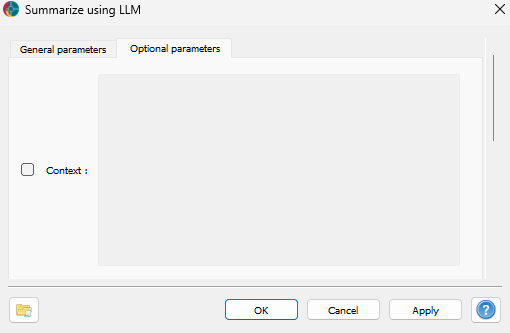
Context (optional): The context to use for the summarization. It can be used to provide additional information to the model.
The application opens a console displaying the progress of the summarization or question-answering process.
Upon completion, the summary or answer is made available as a .txt file within the Geoscience ANALYST project.
Results
The summary or answer can be viewed in Geoscience ANALYST, as illustrated in the figure below. The output is attached to the object selected in the application (1. DrillholeData or Object in the Interface), under the Files section (2.). Simply double-click on the file to open it and access the summary or answer (3.).